
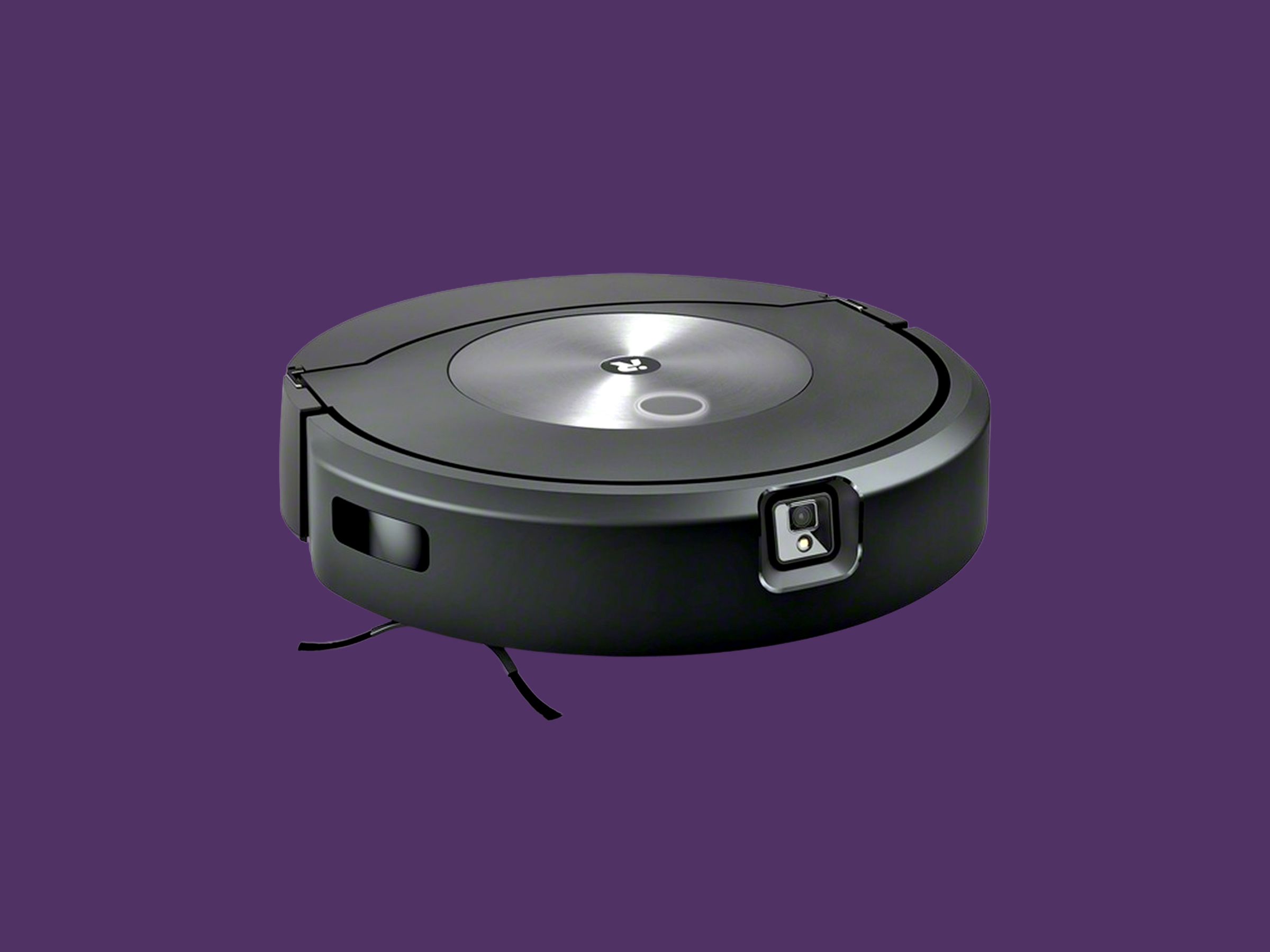
iRobot Roomba: A Guide to Robot Vacuum Cleaners
iRobot Roomba is a range of robot vacuum cleaners designed to take care of everyday floor cleaning with less effort. Roomba models can travel around a home, pick up dust and debris, and return to their charging station when they need to recharge. Depending on the model, they may also offer features such as app control, room mapping, scheduled cleaning and automatic dirt disposal.
How does a Roomba work?
A Roomba uses sensors and onboard software to move around a room and clean its floors. Brushes sweep dirt towards the vacuum, while the machine’s suction draws it into a dust container. Sensors help it detect obstacles and avoid falling down stairs. More advanced models can map rooms, allowing users to direct cleaning to particular areas or set boundaries through a compatible app.
Exact features vary across the range, so it is worth checking the specifications of an individual model before buying. Some Roomba products are designed primarily for vacuuming, while others are compatible with a separate or integrated mopping function.
What are the benefits?
- Convenience: Many models can be scheduled to clean while you are busy or away from home.
- Regular upkeep: Frequent, automatic cleaning can help manage everyday dust, crumbs and pet hair between deeper cleans.
- App controls: Compatible models can be controlled through an app, with options that may include starting a clean, setting a schedule or choosing rooms.
- Compact design: A robot vacuum can clean beneath some furniture that may be awkward to reach with a full-size vacuum.
Choosing the right Roomba
Consider the size and layout of your home, the types of flooring you have and how much cleaning you need the robot to do. Homes with pets may benefit from a model suited to collecting hair, while a larger home may make room mapping and targeted cleaning more useful. If you have rugs, thresholds or lots of furniture, check how the model is designed to handle them.
Think about maintenance, too. A Roomba needs its dust container emptied and its brushes and filters cleaned or replaced as recommended. Some models work with a self-emptying dock, which can reduce how often you need to empty the robot itself, although the dock’s bag or container will still need attention.
Using and maintaining your Roomba
For the best results, clear small items, loose cables and other potential obstructions from the floor before a cleaning run. Keep the charging area accessible and follow the care instructions supplied with your model. Regularly check the brushes and wheels for tangled hair or debris, and clean the sensors as directed by the manufacturer.
A robot vacuum is best viewed as a convenient way to maintain floors, rather than a complete replacement for every kind of cleaning. Stairs, upholstery and tight corners may still need attention with other cleaning tools.
Is an iRobot Roomba right for you?
An iRobot Roomba may suit households looking for a more automated way to keep floors tidy. The range includes models with different capabilities and levels of automation, so comparing features, maintenance requirements and price is important. Choosing a model that matches your home and routine can help you get the most from a robot vacuum cleaner.
Top 8 Tips for Optimising Your iRobot Roomba’s Performance
- Clear cables and small objects before cleaning.
- Empty the bin regularly for best performance.
- Clean the brushes to remove hair and debris.
- Replace filters as recommended by the manufacturer.
- Keep the charging dock on a flat, open surface.
- Use virtual barriers to block off restricted areas.
- Schedule cleaning when rooms are usually empty.
- Check the app for maps, settings and maintenance alerts.
Clear cables and small objects before cleaning.
Before starting your iRobot Roomba, clear cables, loose items and small objects from the floor. These can become tangled in the brushes, obstruct the robot or be pushed around during cleaning. A quick tidy helps your Roomba move more freely and clean your floors more effectively.
Empty the bin regularly for best performance.
For the best performance from your iRobot Roomba, empty its bin regularly. A full bin can reduce the space available for dirt and may affect how effectively the robot cleans. Check the bin after each cleaning run, particularly if you have pets or your floors collect a lot of dust and debris, and follow the manufacturer’s guidance for removing and cleaning it.
Clean the brushes to remove hair and debris.
Clean your iRobot Roomba’s brushes regularly to remove tangled hair, dust and debris. Build-up can affect cleaning performance and make the brushes work harder. Switch off the robot and follow the manufacturer’s instructions for removing and cleaning the brushes, then check that they’re completely clear before refitting them.
Replace filters as recommended by the manufacturer.
Replace your Roomba’s filter as often as recommended by the manufacturer to help maintain effective suction and capture dust and allergens. How frequently it needs changing can depend on the model and how often you use it, so check the care instructions for your specific vacuum. Regularly removing debris from the filter between replacements can also help keep your Roomba working well.
Keep the charging dock on a flat, open surface.
Place your Roomba charging dock on a flat, stable surface with clear space around it. This gives the robot room to approach and align with the contacts when it returns to charge, helping it dock reliably. Keep the area free of clutter and position the dock where it is easy for the Roomba to reach.
Use virtual barriers to block off restricted areas.
Use virtual barriers to keep your Roomba away from areas you’d rather it didn’t clean, such as pet bowls, loose cables or rooms with delicate items. Set up the barrier using your model’s compatible app or boundary device, then check that it’s positioned correctly before starting a cleaning run. Virtual barrier features vary by model, so consult your Roomba’s instructions for details.
Schedule cleaning when rooms are usually empty.
Schedule your Roomba to clean when rooms are usually empty, such as while everyone is out or during quieter parts of the day. This helps it move around with fewer interruptions, reduces the chance of bumping into people or pets, and lets you return to freshly vacuumed floors. Check that cables, toys and other small items are cleared from the floor before it starts.
Check the app for maps, settings and maintenance alerts.
Check the iRobot app regularly to view your Roomba’s cleaning maps, adjust settings and keep an eye on maintenance alerts. Depending on your model, maps can help you select specific rooms or areas, while the settings let you tailor cleaning to your routine. Alerts may also remind you to empty the bin, clean the brushes or replace a filter, helping your Roomba work effectively.
Tags: app control, automatic dirt disposal, bin emptying, brushes, charging station, cleaning performance, dust and debris, filters, floor cleaning, home cleaning, irobot roomba, irobotroomba, maintenance, obstacle avoidance, pet hair, robot vacuum cleaner, room mapping, rugs and thresholds, scheduled cleaning, self-emptying dock, sensors, suction