
Robot Vacuum Cleaners: A Practical Guide
A robot vacuum cleaner can help keep floors tidy with less day-to-day effort. These compact machines move around your home, picking up dust, crumbs, pet hair and other loose debris. Depending on the model, they may also map rooms, avoid obstacles, return to their charging dock automatically or mop hard floors.
How does a robot vacuum work?
Robot vacuums use wheels, brushes and suction to collect dirt as they travel across the floor. Sensors help them detect walls, furniture and drop-offs such as stair edges. Many models use cameras or laser navigation to map a room and plan a more orderly cleaning route, while simpler models move around using basic obstacle detection.
Most robot vacuums return to a charging dock when their battery runs low. Some can resume cleaning after recharging, and certain models can empty their dustbin into a larger dock, reducing how often you need to do it by hand.
What are the benefits?
- Convenience: Set a cleaning schedule and let the vacuum work while you are out or busy with other tasks.
- Regular upkeep: Frequent, lighter cleaning can help prevent dust and crumbs from building up between deeper cleans.
- Access beneath furniture: A low-profile design may reach areas that are awkward to clean with a full-sized vacuum.
- Smart controls: Many models can be controlled through an app or voice assistant, with options to clean selected rooms or areas.
Choosing the right robot vacuum
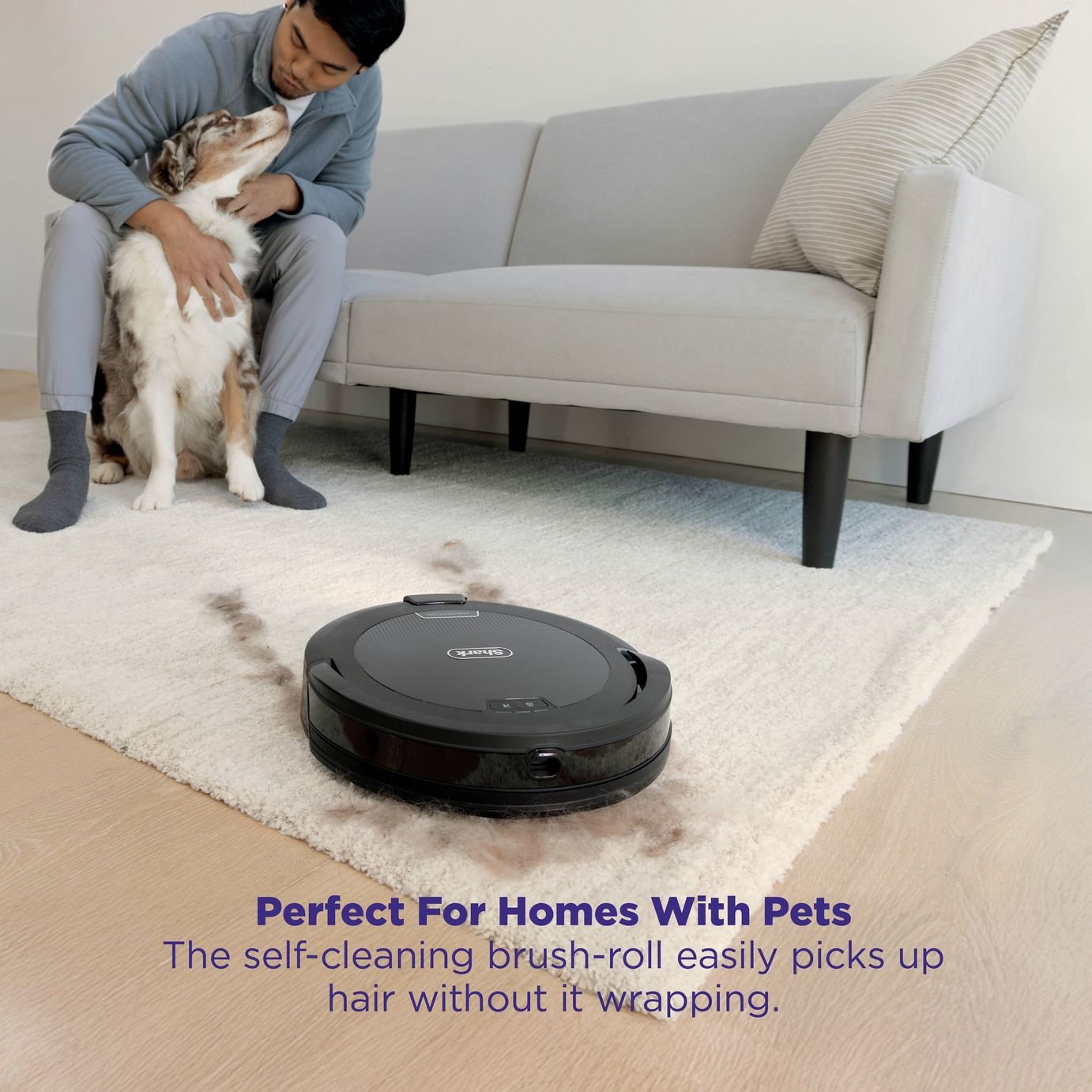
Consider your home and cleaning needs before choosing a model. A vacuum designed for hard floors may not perform as well on thick carpets, while homes with pets may benefit from strong suction and a brush designed to reduce hair tangles.
- Floor types: Check that the vacuum is suitable for the carpets and hard floors in your home.
- Navigation: Mapping can help the machine clean in an organised way and make it easier to set room-specific routines.
- Battery life: Larger homes may need a model with a longer running time or automatic recharge-and-resume capability.
- Dust capacity: A larger dustbin or self-emptying dock can mean less frequent emptying.
- Height and access: Measure the clearance beneath furniture if you want the vacuum to clean underneath it.
- Replacement parts: Find out how easy it is to obtain filters, brushes and other consumables.
Are robot vacuums suitable for every home?
Robot vacuums are useful for routine cleaning, but they are not a complete replacement for every type of vacuum. They may struggle with stairs, cluttered rooms, very thick rugs or larger debris. Cables, loose clothing and small objects can obstruct the machine, so it is helpful to clear the floor before a cleaning cycle.
Homes with multiple levels may require the vacuum to be carried between floors unless the model supports several maps. If you have delicate rugs, pet bowls or areas you want the machine to avoid, look for features such as virtual boundaries or restricted cleaning zones.
Care and maintenance
Regular maintenance helps a robot vacuum work effectively. Empty the dustbin as needed, clean the filter according to the manufacturer’s instructions, and remove hair or fibres from the brushes and wheels. Wipe the sensors gently and keep the charging contacts clear. Replacing worn filters and brushes at the recommended intervals can also help maintain performance.
Is a robot vacuum worth it?
A robot vacuum can be a worthwhile choice if you want to automate everyday floor cleaning and are comfortable carrying out occasional maintenance. The best model depends on your flooring, the size and layout of your home, and the features you will actually use. Comparing these factors can help you choose a vacuum that fits your routine and keeps your floors looking their best.
6 Essential Tips to Keep Your Robot Vacuum Running Smoothly
- Clear cables and small objects before cleaning.
- Empty the dustbin regularly.
- Clean brushes and sensors often.
- Set no-go zones around pet bowls.
- Schedule cleaning when rooms are empty.
- Replace filters as recommended.
Clear cables and small objects before cleaning.
Before starting your robot vacuum, clear cables, toys and other small objects from the floor. These can become tangled in the brushes, block the vacuum’s path or cause it to stop mid-clean. A quick tidy-up helps the machine move around more freely and clean more effectively.
Empty the dustbin regularly.
Emptying your robot vacuum’s dustbin regularly helps maintain strong suction and effective cleaning. A full bin can reduce performance and may cause dust and debris to be left behind. Check it after each clean, or follow the manufacturer’s guidance, and empty it when needed.
Clean brushes and sensors often.
Clean your robot vacuum’s brushes and sensors regularly to help it work efficiently. Hair, dust and debris can become tangled around the brushes, while smudges or dirt on the sensors may affect navigation and obstacle detection. Switch the vacuum off and follow the manufacturer’s instructions when cleaning it, taking care not to damage the sensors.
Set no-go zones around pet bowls.
Set no-go zones around pet bowls to help prevent your robot vacuum from bumping into them, scattering food or water, or getting stuck nearby. If your model doesn’t support virtual boundaries, move the bowls out of the cleaning area before starting a cycle.
Schedule cleaning when rooms are empty.
Schedule your robot vacuum to clean when rooms are empty, such as while you’re out or overnight. This helps it move around more freely, reduces the chance of disturbing anyone and makes it less likely to bump into people or pets. Before it starts, pick up cables and other small items so it can clean without interruption.
Replace filters as recommended.
Replace your robot vacuum’s filter at the intervals recommended by the manufacturer. A clean, well-maintained filter helps trap dust and fine particles, supporting effective cleaning and airflow. If the filter is washable, make sure it is completely dry before putting it back in the vacuum.
Tags: app control, automatic recharging, battery life, brushes, carpets, charging dock, cleaning schedule, cleaning zones, crumbs, dust, dustbin capacity, floor cleaning, hard floors, home cleaning, laser navigation, maintenance, mopping, obstacle detection, pet hair, replacement filters, robot vacuum, robot vacuum cleaner, room mapping, self-emptying dock, sensors, smart controls, suction, vacuum selection, voice assistant